Ceiling Fan Wobbling? Balance It With a Kit and Tighten 3 Screws
Loose screws and uneven blades make a fan wobble. Tighten three sets of screws first, then use a balancing kit for the wobble that is left.
By Jamilur Rahman Updated November 5, 2026 · 6 min read
- Time
- 30 min
- Cost
- Under $20
- Difficulty
- Medium
In this guide
Quick answer
How to stop a ceiling fan from wobbling: switch it off, then tighten three sets of screws: the blade screws, the blade-arm screws and the mounting screws at the ceiling. That fixes most wobbles. If it still shakes, one blade is slightly heavier or lower than the rest, and a ceiling fan balancing kit with clip and adhesive weights evens it out.
Free fix vs. permanent fix
Tighten screws, clean, check blade height
- Turn off the fan and the wall switch, then wait for it to stop
- Tighten the blade screws, blade-arm screws and mounting screws
- Wipe dust off every blade
- Measure each blade tip to the ceiling and compare
How long it lasts: Fixes a wobble caused by loose parts. It does nothing for blades that are uneven in weight or slightly warped, so the shake can stay.
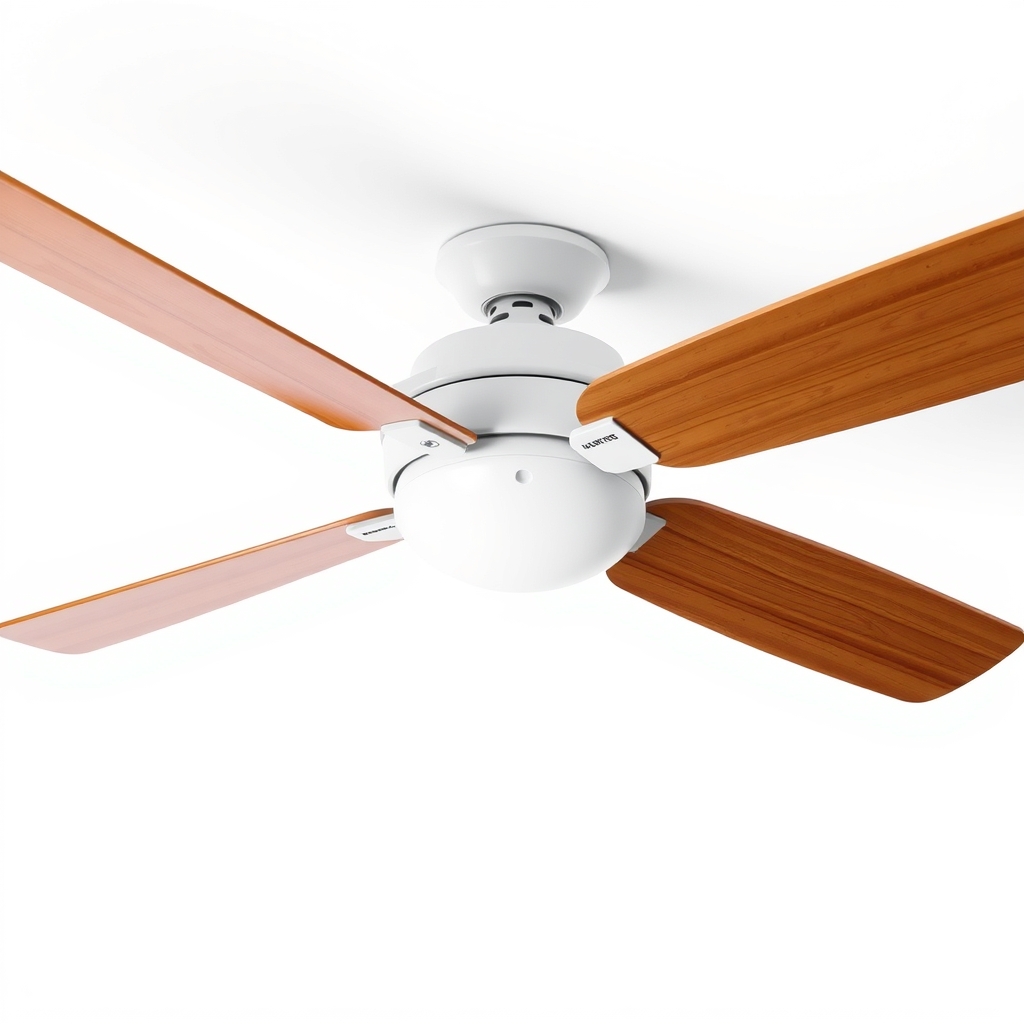
A ceiling fan blade balancing kit
Even tight, level blades can differ in weight by a few grams, and that is enough to make the fan shake on high speed. A kit lets you find the light or heavy blade by trial and adds a small weight to even it out. It balances the fan, which tightening alone cannot.
What to get: Ceiling fan blade balancing kit
How long it lasts: Years. Once balanced, the fan stays balanced unless a blade is bent, replaced or loosened.
As an Amazon Associate I earn from qualifying purchases.
What you'll need
-
Sturdy step ladder
Never a chair or a box
You have it -
Screwdriver
Match the screw heads; most fans use Phillips
You have it -
Yardstick or tape measure
To compare each blade's height
You have it -
Old pillowcase
Slip it over a blade to wipe off dust without spreading it
Free - Our pick Illustration
Ceiling fan blade balancing kit
A clip and adhesive weights
- Illustration
Matched replacement blade set
Only if a blade is warped or cracked
Why it happens
Loose screws
Fans vibrate and screws creep loose over time. Blade screws, blade-arm screws and the canopy or mounting screws are the common ones, and even one slack screw throws off the whole fan.
Uneven blade weight or height
Blades can differ slightly in weight, and one can sit a little lower than the others if its arm is bent. The motor spins the imbalance, so the wobble gets worse at higher speeds.
Dust and sticky grime
A layer of dust on blades is rarely even. Extra weight on one blade is enough to make a fan shake.
Warped blades or a loose mount
Humidity can warp wood or MDF blades. A loose mounting bracket or a poorly seated downrod makes the whole fan sway, not just the blades.
Try this first (free)
Do these in order, starting with the simplest.
-
Turn the power off
Tool used: Sturdy step ladderSwitch the fan off and use the wall switch. Wait until the blades stop. If you are going to loosen anything near the ceiling mount, switch off the circuit breaker too. Set up a sturdy step ladder.
-
Wipe the blades
Tool used: Old pillowcaseSlip a pillowcase over each blade and pull it back to wipe off the dust. Wipe the top and underside.
-
Tighten the three screw sets
Tool used: ScrewdriverFirst, the screws holding each blade to its arm. Second, the screws holding each arm to the motor. Third, the canopy and mounting-bracket screws at the ceiling, plus the set screws on the downrod. Make each one snug, not forced, so you do not strip it.
-
Check blade height
Tool used: Yardstick or tape measureMeasure from the same point on each blade tip to the ceiling. The numbers should match within about 1/8 inch. If one is off, gently press the blade arm back toward the others, or replace a bent arm.
-
Balance with the kit
Tool used: Ceiling fan blade balancing kitClip the weight to the middle of one blade's trailing edge and run the fan on medium. If the wobble eases, stick an adhesive weight on top of that blade in the same spot. If not, move the clip to the next blade. Follow the kit's directions.
IllustrationCheck price on AmazonTool for this step
Ceiling fan blade balancing kit · A clip and adhesive weights
When free fixes aren't enough
If the fan still shakes after tightening and measuring, the problem is weight, and a balancing kit is the tool for it. If a blade is cracked or visibly warped, replace the whole set so they match. Stop using the fan if the canopy moves, the downrod swings, or the fan is only attached to a regular electrical box instead of a fan-rated one. A loose mount can cause the fan to fall, so have an electrician check it.
Buy the fix
Still stuck after the free fixes? These are the products we would look at.
| Pick | Product | Fixes | Who it's for | Buy |
|---|---|---|---|---|
| Best pick | Ceiling fan blade balancing kit | a wobble from uneven blade weight that screws cannot fix | Anyone whose fan still shakes after tightening the screws and measuring the blades. | Check price |
| Upgrade pick | Matched replacement ceiling fan blade set | warped or damaged blades that cannot be balanced | People whose blades are visibly warped or cracked. | Check price |
Ceiling fan blade balancing kit
Fixes: a wobble from uneven blade weight that screws cannot fix
Look for: A plastic clip for finding the problem blade; Self-adhesive weights in a few sizes; Clear instructions in the box; Suited to standard blades, not a specialty fan.
- Who it's for
- Anyone whose fan still shakes after tightening the screws and measuring the blades.
- Honest downside
- A blade is cracked or the mount is moving. Replace the blade or call an electrician.
Matched replacement ceiling fan blade set
Fixes: warped or damaged blades that cannot be balanced
Look for: Sold as a matched set, not single blades; The right length and blade-arm hole spacing for your fan; Equal weight across the set.
- Who it's for
- People whose blades are visibly warped or cracked.
- Honest downside
- The blades look fine. Balance them first. Check your fan's model number before ordering.
As an Amazon Associate I earn from qualifying purchases. We don't show prices because they change, so use the button to see today's price.
How we picked: How we picked: this page is based on ceiling fan installation and maintenance guides from fan makers, instructions that come with balancing kits, and what owners report about wobbling fans. We do not test products by hand.
How to stop a ceiling fan from wobbling and making noise
To fix ceiling fan wobble and the noise that comes with it, look for what is loose. Once the fan is off, check the light kit screws, the glass shades, the pull-chain housing and any wires touching the blades. A tick or click each rotation points to a loose screw or a rubbing part. A grinding or humming sound from the motor housing is a different problem, so have an electrician or a replacement fan checked.
What to skip
Bending blade arms by hand and extra tape
Bending an arm without measuring usually trades one wobble for another, and tape or putty added at random can add weight in the wrong place. Measure, then balance one blade at a time.
Frequently asked questions
Why does my ceiling fan wobble, and why is it wobbling now?
Ceiling fan keeps shaking after I tightened the screws. What now?
How to stop a ceiling fan from shaking or rocking?
Is it safe to leave a wobbling ceiling fan on?
Related problems
 Free fix inside
Cleaning · Ceiling Fan
Ceiling Fan Clicking? Where the Click Hides and How to Silence It
Read the fix Free fix inside
Cleaning · Ceiling Fan
Ceiling Fan Light Flickering? The Bulbs Made for Fans
Read the fix Free fix inside
Cleaning · Ceiling Fan
Ceiling Fan Pull Chain Broke? Swap the Chain Without Touching Wires
Read the fix Free fix inside
Cleaning · Ceiling Fan
Ceiling Fan Too Big for the Room? How to Size It Right
Read the fixAs an Amazon Associate I earn from qualifying purchases. Affiliate disclosure